In the world of Etsy selling, time is your most valuable asset. Whether you’re juggling dozens of personalized tumblers, a growing library of digital downloads, or hundreds of print-on-demand t-shirts, one thing is clear: manually editing every single listing is neither scalable nor sustainable.
That’s where Sale Samurai’s bulk editing features come into play.
With Etsy’s native tools and Sale Samurai’s integrations, sellers can batch-edit product listings, titles, tags, prices, personalization options, and more—without sacrificing accuracy or search optimization. In this guide, we’ll explore how you can leverage Sale Samurai’s bulk editing capabilities to streamline your workflow, optimize your SEO across multiple listings, and ultimately save hours of tedious work—all while scaling your shop with confidence.
Why Bulk Editing is a Lifesaver for Etsy Sellers
Let’s say you sell 150 products in your Etsy shop. You’ve just noticed that a few seasonal keywords are trending—like “first day of school,” “camping gear,” or “bachelorette weekend.” Want to insert those terms into your existing listings? You’d better be ready to spend hours manually copy/pasting text, updating images, or adjusting personalization fields…unless you have a better way.
Bulk editing isn’t just about convenience—it’s about sustainability, speed, and competitive edge.
Key Benefits of Bulk Editing:
- Save dozens of hours when updating pricing, tags, or titles across large inventories
- Instantly roll out seasonal or trend-based updates
- Prevent mistakes and inconsistencies with structured, batch-based workflows
- Easily keep your listings in line with Etsy’s algorithmic changes
Overview: Sale Samurai Bulk Editing Tools & Integrations
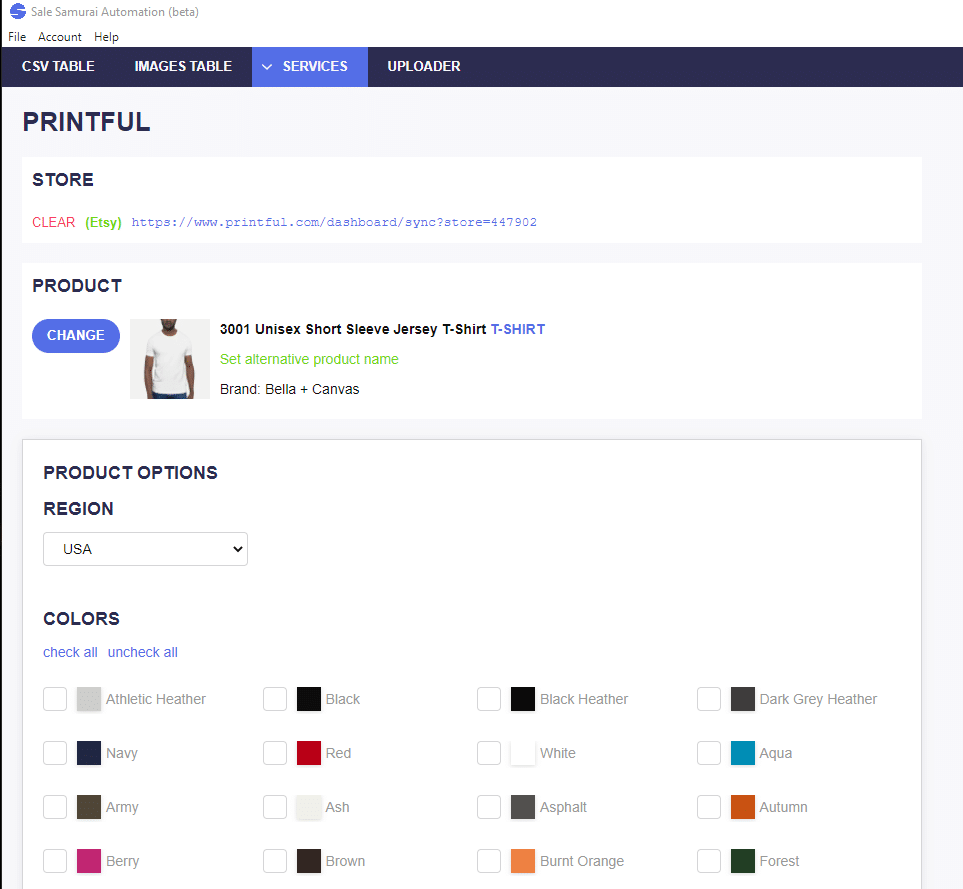
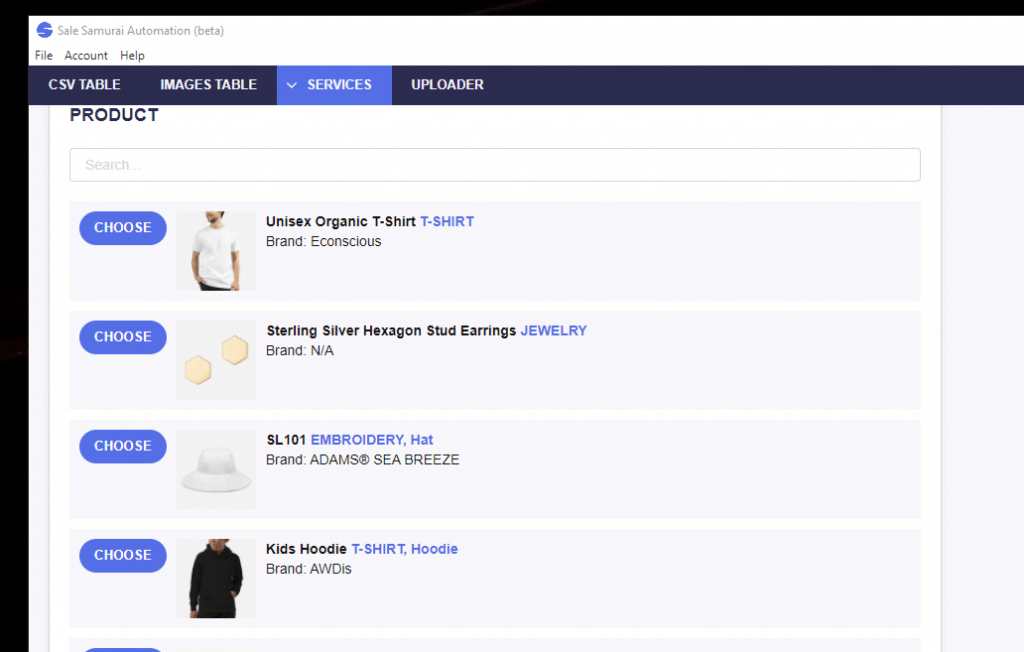
Sale Samurai offers multiple ways to bulk edit or bulk upload listings—some working directly inside Etsy, and others functioning via CSV-based workflows in conjunction with print-on-demand platforms like Printify, Printful, and Gooten.
1. Etsy’s Native Bulk Editor
Inside your Etsy Shop Manager:
- Go to Listings
- Use the checkboxes to select multiple items
- Click “Editing options” to modify:
- Titles
- Tags
- Descriptions
- Prices
- Personalization
- Shop sections
- Shipping profiles
- Renewal type
Pro tip: Etsy limits some types of edits to 50 listings at a time—so if you’re updating hundreds, you’ll need to do it in batches.
2. Sale Samurai Automatic Uploader
The Sale Samurai Automatic Uploader is a standalone desktop app designed to help you bulk upload print-on-demand listings.
What it does:
- Uses a structured CSV spreadsheet
- Connects with Printify, Printful, or Gooten
- Uploads all your product info—including images, descriptions, pricing, and variants
- Sends everything to Etsy in one go
This is ideal for sellers who launch seasonal collections, trend-based t-shirt lines, or niche product series and want to do it all in one session.
Learn more & download the uploader:
How To Use Sale Samurai’s Automatic Uploader – The Business Scaling Tool You’ve Been Looking For
Step-by-Step: Editing Listings in Bulk with Sale Samurai & Etsy
✏️ Bulk-Editing Titles
Updating titles for SEO relevance? Here’s how:
- Select listings inside Etsy’s Shop Manager
- Click “Edit Titles”
- Use the “replace,” “add to beginning,” or “add to end” features
- Example: Add “2025” to your “Back to School Planner” titles
⚠️ Tip: Don’t remove high-performing keywords—just expand or tweak them based on Sale Samurai keyword research.
Bulk-Editing Tags
Need to reflect a new holiday or trend?
- In Etsy’s Bulk Editor, choose “Edit Tags”
- Add or remove tags across multiple products
- Use Sale Samurai’s Tag Generator Tool to find high-search, low-competition keywords
🎯 Example:
Update:
- “School Notebook” → add trending tags like “first day of school,” “classroom checklist,” or “teacher gifts 2025”
Bulk Enabling Personalization
Want to start offering name customization or editable templates?
Etsy allows you to:
- Enable/disable personalization
- Set default personalization guidelines
- Use the same message across multiple listings
Use this for:
- Customized kids’ backpacks
- Engraved jewelry
- Editable Canva planner templates
More on personalization editing:
Bulk Price Adjustments
Running a flash sale or adjusting margins due to rising costs?
You can:
- Add/subtract a flat dollar amount
- Increase/decrease by a percentage
Example:
- Apply a 15% increase to all “wedding season” listings after Etsy’s fee hike
- Schedule a 20% summer sale by editing pricing across an entire section
Bulk Updating Shop Sections & Shipping Profiles
Want to reorganize your listings by season or niche?
- Use Etsy bulk tools to move products to new Shop Sections
- Assign consistent Shipping Profiles to product types
- Example: Add upgraded expedited shipping to all “Father’s Day” gift items
Bulk Uploading New POD Products with the Automatic Uploader
This is where Sale Samurai’s magic really shines.
Step-by-Step Setup:
- Download the Automatic Uploader tool
- Open your Sale Samurai dashboard → go to “Automatic Uploader”
- Create a CSV file with:
- Product title
- Description
- Tags
- Price
- Print provider info (Printify/Printful/Gooten)
- Image URLs or paths
- Map the fields in the uploader interface
- Hit upload—and launch dozens or hundreds of new listings in a single session
Ideal for:
- Holiday drops (e.g., “Halloween 2025 Collection”)
- Trend-jacking (e.g., “Cold Plunge Recovery Gear”)
- Large seasonal expansions
Real-World Use Case: Time Saved
Scenario 1: Back-to-School Update Blitz
You sell 75 notebooks and planners. With school approaching:
- You use Sale Samurai’s keyword tools to find trending terms like “2025 school planner,” “teacher checklist,” and “chore chart”
- Use Etsy’s Bulk Tag Editor to add these keywords to all relevant listings
- Modify titles to include “2025”
- Enable personalization for back-to-school gifts
Total time: ~30 minutes
Without bulk tools? Estimated 3–5 hours.
Scenario 2: Wedding Season Flash Sale
You’ve got 60 bachelorette and bridal products. With a sale coming up:
- You select them all via Shop Manager
- Apply a 15% discount using the price editor
- Change section to “Wedding Sale”
- Add a summer-themed tag like “2025 bride squad”
🕒 Total time: ~20 minutes
Without bulk tools? Estimated 2–4 hours.
BONUS: Bulk Editing Workflow Checklist
| Task | Tool Used | Purpose |
|---|---|---|
| Apply seasonal pricing | Etsy’s Bulk Price Editor | Launch sales or adjust margins |
| Insert trending tags | Etsy + Sale Samurai Keyword Tool | Improve SEO in time for high-traffic windows |
| Enable personalization | Etsy Bulk Editor | Offer custom gifts with one-click options |
| Reorganize listings | Etsy Shop Section Editor | Group by niche or event |
| Upload new POD listings | Sale Samurai Automatic Uploader | Save time launching 100+ SKUs |
- The Micro-Niche Method: Selling to Tiny Audiences Who Buy Immediately

- The Copycat Trap: How to Ride Trends Without Looking Like Everyone Else

- Phrase Families: How Etsy Shoppers Actually Search (Without Getting Technical)

- Aesthetic Commerce: Why “Vibes” Sell Faster Than Features on Etsy

- Digital-to-Physical on Etsy: The New Hybrid Seller Playbook