
Success on Etsy isn’t just about creating pretty items—it’s about launching the right items, timed perfectly with market demand. Sale Samurai equips you with data-driven insight to spot trending product opportunities—long before your competitors. Here’s how to consistently find Etsy product ideas with high search volume and low competition using Sale Samurai.
Why Trend-Based Product Development Matters 📈
- Search-driven sales: Etsy customers shop differently—they type in ideas like “personalized dog mom mug”. When you align your product with what they’re searching, you win visibility and sales.
- Reduced competition: Trendy niches often have fewer sellers—giving you a foothold before a niche becomes saturated.
- Higher margins & loyalty: Unique, on-trend items allow higher pricing, repeat purchases, and enthusiastic word-of-mouth.
Sale Samurai turns guesswork into a replicable system using search volume, keyword difficulty, favorites, and trends data.
1. Explore with the Keyword Search & Chrome Extension
Start with Sale Samurai’s core keyword research to spot what Etsy shoppers are actively searching for:
- Keyword Search tool—enter base terms like “tumbler”, “mug”, “necklace” to view search volume, competition grade, price range, and shipping averages.
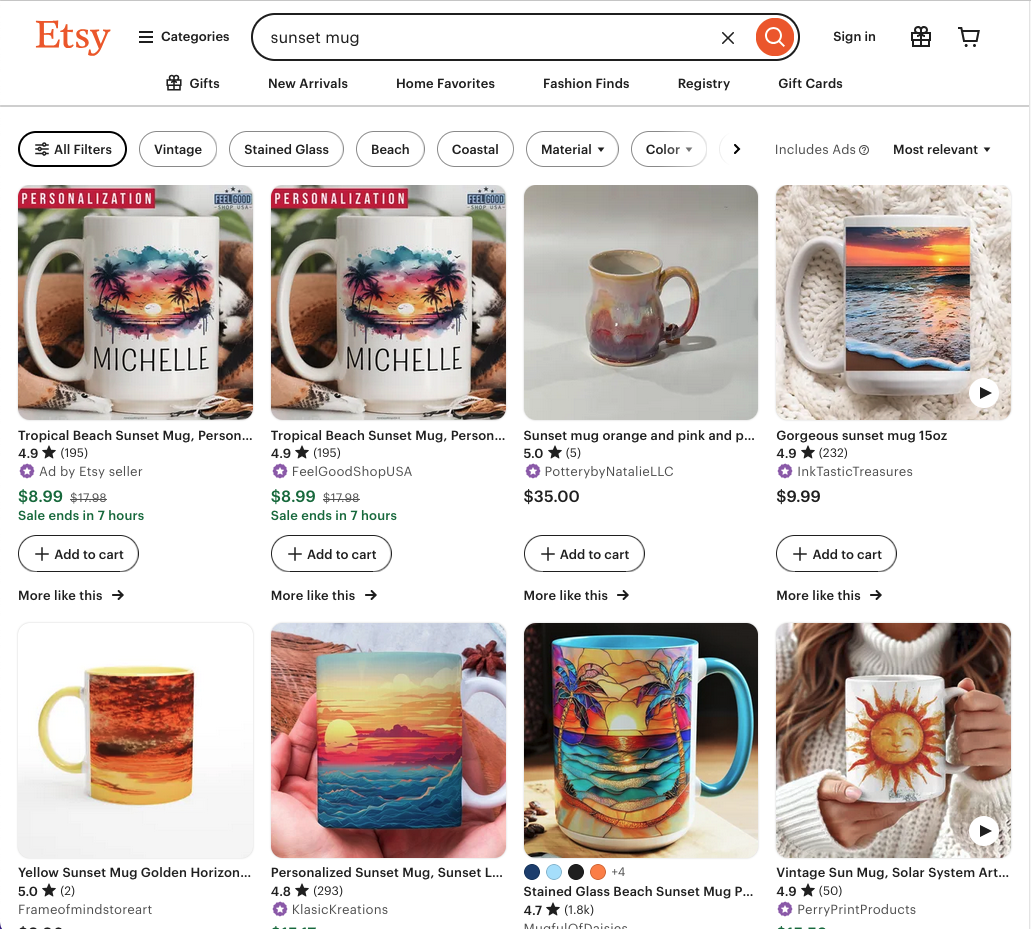
- Use Long-Tail Suggestions to see related ideas—e.g., “custom dog mom tumbler” or “sunset mug”—and filter for high volume but lower competition scores (B–C range).
- Activate the Chrome Extension to reveal this search data directly while browsing Etsy—so you see real-time opportunity as you explore product pages.
2. Curate Trends & Niches Using Favorites 💡
When inspiration strikes—whether from keyword lists or Etsy product pages—save your findings:
- Tag relevant keywords in your Favorites folders (e.g., “summer tumbler trends”).
- Save product listings that rank well with strong search volume.
- Export them to CSVs later to spot themes—e.g., trending pet parent designs, niche seasonal mugs, or zodiac-themed jewelry.
This builds a custom dashboard of potential trends to return to anytime.
3. Analyze Competition Levels with Precision
Next, assess how crowded each niche is:
- Within Keyword Search, check the competition grade and number of sellers per keyword.
- Lower competition + strong search volume = sweet spot.
- Confirm via Chrome Extension by checking how many listings appear in real Etsy searches.
Remember, tools vary, but Sale Samurai balances volume and competition—helping you avoid copycat traps,
4. Evaluate Price Ranges & Shipping Insights
Use Sale Samurai metrics to pinpoint profitable windows:
- Price Distribution: reveals what customers are paying. Are they happy at $12 or expecting premium $25?
- Shipping Days: ensure you can meet expectations. High shipping times often equal lower conversions.
- Favorites Count: high saves = engaged interest.
A tag with 5,000 searches, under-50 competition, and $15–20 price range paired with 200 favorites signals a trending winner.
5. Leverage Trend Signals in Chrome Extension
Browse Etsy and watch for:
- Recent listings with high volume but low competition.
- Title clues like “2025 edition” or “new release” tagged by savvy sellers.
Sale Samurai highlights these live trend pockets so you can act fast.
One Reddit user observed:
“Sale Samurai lets me know which keywords have been used…great current data with accurate search volume”.
6. Filter by Seasonality with Calendar & Keyword Tagging
Use Sale Samurai’s built-in Calendar view:
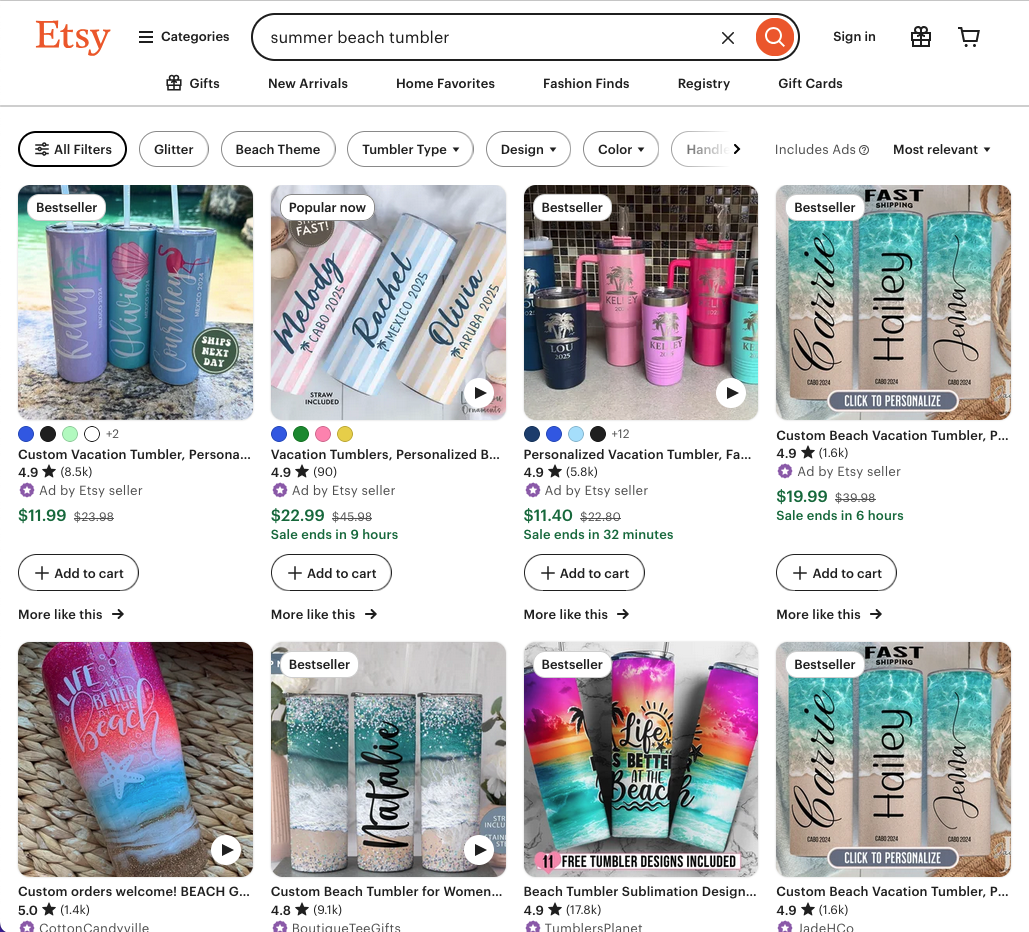
- Identify seasonal trends like “summer beach tumbler”, “back-to-school tote”, “holiday family ornament.
- Plan product releases 6-8 weeks before seasonal spikes.
- Save related keywords into themed Favorites (e.g., “October – Halloween mug”).
Your launch timeline turns informed and intentional, not reactive.
7. Validate Early With Pre-Listing Data
Before investing in mockups or inventory:
- Identify 3–5 high-volume, low-comp keywords.
- Create minimal mockups.
- Upload those via Sale Samurai’s Uploader or test visually through Pinterest/Etsy focused SEO to measure interest.
If you see “Favorites” or visits even before marketing, you’re onto something real.
8. Use Bulk Uploader for Multi-Variant Efficiency
Found a trend? Launch multiple listings using similar keywords and formats:
- Use templates to create color-variant listings fast.
- Test trending color, style, or phrase variations.
- Track which version gets more traction with Search Volume + Competition grades for ongoing optimization.
9. Track Competitors & Pivot Smartly
- Use Competition Analyzer to gather live pricing, volume, and listings samples.
- If competition increases mid-cycle, pivot variants to stay ahead.
- Monitor competitor titles & tags to understand shifts and optimize yours.
10. Watch, Iterate, and Expand
- 5-day window rule: Spinner around new listing; if no traction, tweak keywords or retire that design.
- Tag winners into a “Launch Validated” group for scaling.
- Rinse and repeat with adjacent themes (e.g., pet mugs → pet tumblers → pet blankets).
- Monthly trend check: revisit keyword data to update lineup.
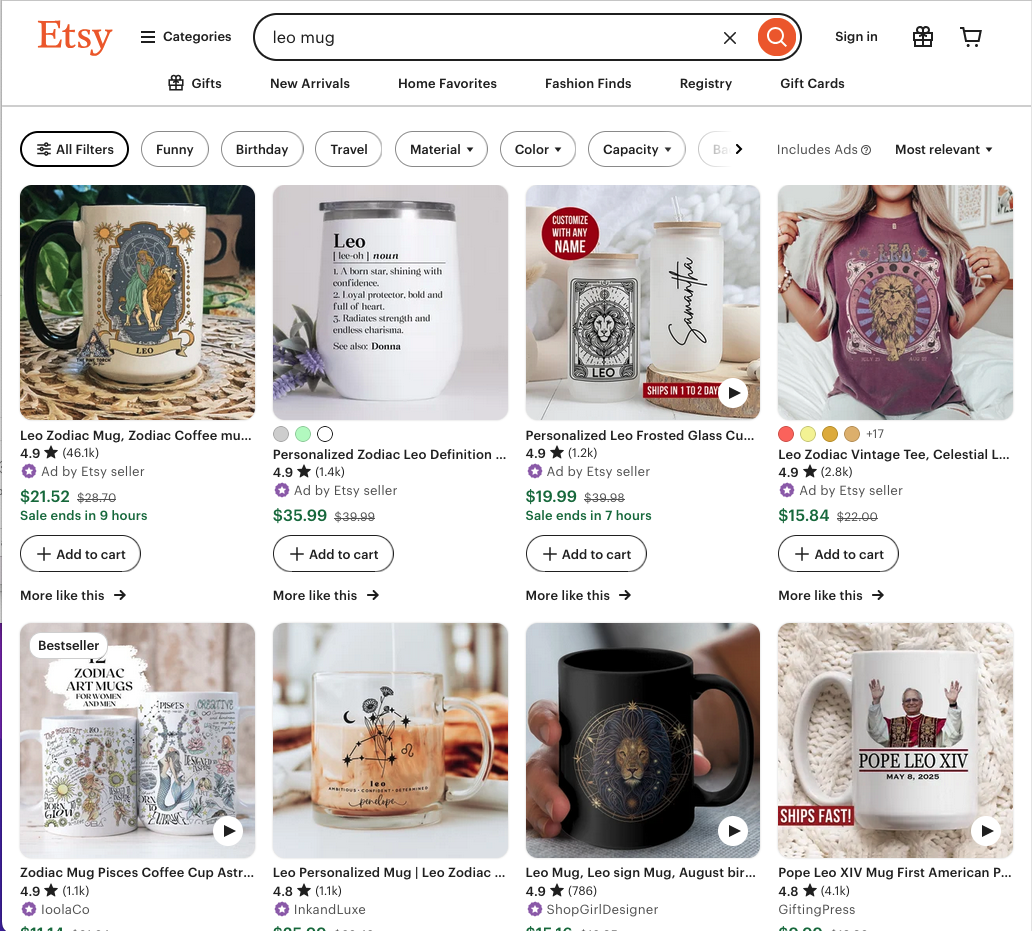
11. Real-World Example: Zodiac Mug Trend
- Identified “Leo mug” with 10k monthly volume, C-level competition.
- Released a simple mockup.
- Gained 50 favorites in first 2 days, climbing into top 100 results.
- Expanded into full zodiac line and personalized variations.
- ROI: 4x gross margin in under 3 weeks.
12. Common Pitfalls & How to Avoid Them
- Relying on old data: Always refresh Favorites & trend data from Search.
- Misjudging real search vs. estimated: Verify through Pinterest or Etsy search suggestions.
- Copycat syndrome: Add unique value—materials, personalization options, bundling.
- Ignoring shipping times: Be realistic with processing & fulfillment.
✅ Year-Round Trend Launch Checklist
| Step | Done? |
|---|---|
| Monthly keyword scan for new trends | |
| Save high-volume/low-comp keywords to Favorites | |
| Check price & shipping ranges | |
| Tag by theme or season | |
| Conduct quick mockup testing | |
| Launch minimal listings per variant | |
| Track traction via Etsy + Sales Samurai | |
| Expand successful listings into variation sets | |
| Optimize titles/tags periodically | |
| Retire or pivot dormant listings after 14 days |
Final Thoughts
Building trending Etsy product ideas is no longer guesswork—it’s a repeatable, data-powered system when you use Sale Samurai. From keyword and competition insights to seasonal calendars and Chrome-powered discovery, the tool equips you to stay ahead of trends, pivot fast, and scale your shop.
Start by identifying just one new keyword each month, validate quickly, iterate smartly, and you’ll build a resilient, responsive product line that wins Etsy searches—and buyers.
- Why Some Listings Get Clicks but No Sales: The Trust Gap Problem

- The Etsy Bundle Spell: How to Increase AOV Without Feeling Pushy

- Seasonal Without the Panic: Evergreen Themes That Still Spike at Holidays
- Printable Goldmines That Aren’t Planners: The Quiet Categories People Ignore
- The Micro-Niche Method: Selling to Tiny Audiences Who Buy Immediately