Protecting your Etsy shop from suspension isn’t just about following the rules—it’s about building trust, staying agile, and proactively managing risk. With the help of Sale Samurai, you can easily audit listings, spot potential violations, and maintain high shop standards while scaling smartly.
Let’s dive into what you need to know to stay in Etsy’s good graces.
1. Understanding Etsy Suspensions
Etsy can suspend or “vacation-mode” your shop for multiple reasons:
- Account verification issues: Recent sellers may be flagged for ID mismatches or generic data
- Repeated policy violations: Copyright/trademark infringements, prohibited items, or inaccurate information
- Spam triggers: Too many daily listings or repetitive posts can raise flags
- Fee or billing issues: Unpaid Etsy fees or invalid payment details
- IP or duplicate shop concerns: Multiple accounts from one IP, VPN usage, or policy violation in another shop
Once suspended, reinstatement can take weeks—even longer under new identity laws. Prevention is essential.
2. Policy-Proof Your Shop with Best Practices
• Use Your Real Information
Ensure personal, bank, and tax data match official documents. New sellers often get suspended for mismatches or missing ID verification documents.
• Follow Listing Limits
Avoid uploading more than 10–15 listings per day. Large uploads can mimic spam behavior.
• Stay on the Right Side of IP Law
Never infringe on copyrighted or trademarked content. Designer brand knock-offs and celebrity quotes are common suspension triggers.
• Don’t Mislead
Descriptions, photos, shipping details, and categories must align with reality. Avoid fake reviews or asking friends to favorite your shop.
• Maintain Fee Compliance
Keep your billing info up to date so Etsy can deduct its small transaction & ad fees. Unpaid bills = automatic suspension notices.
• Keep Consistent IP
Ensure your login location matches your account’s country. Repeated logins from unknown locations might get flagged.
3. How Sale Samurai Helps You Stay Clean
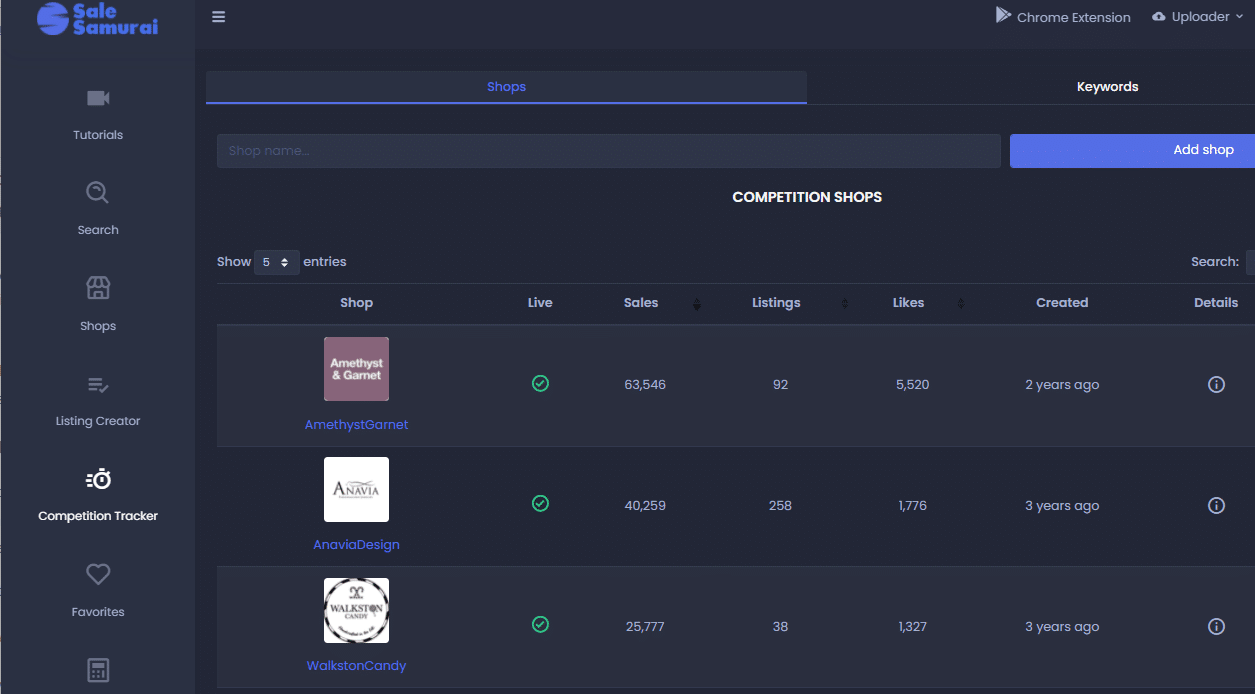
Sale Samurai isn’t just for keyword research—it’s vital for compliance audits and shop optimization. Here’s how to use it to protect your shop:
A) Keyword & Trademark Scanner
Use Sale Samurai to check for trademarked phrases in your titles and tags. Avoiding flagged terms like “Star Wars” or corporate slogans helps you dodge takedown issues.
B) Competition & Listing Analyzer
Identify clones of your own listings or signs of misrepresentation:
- Spot duplicates or minor variants in your shop
- Detect listings mimicking others—possible counterfeit triggers
C) Shop Health Metrics
Sale Samurai pulls in listing age, review trends, and missing listing data. Gaps in tags, images, or categories place you below Etsy’s compliance radar.
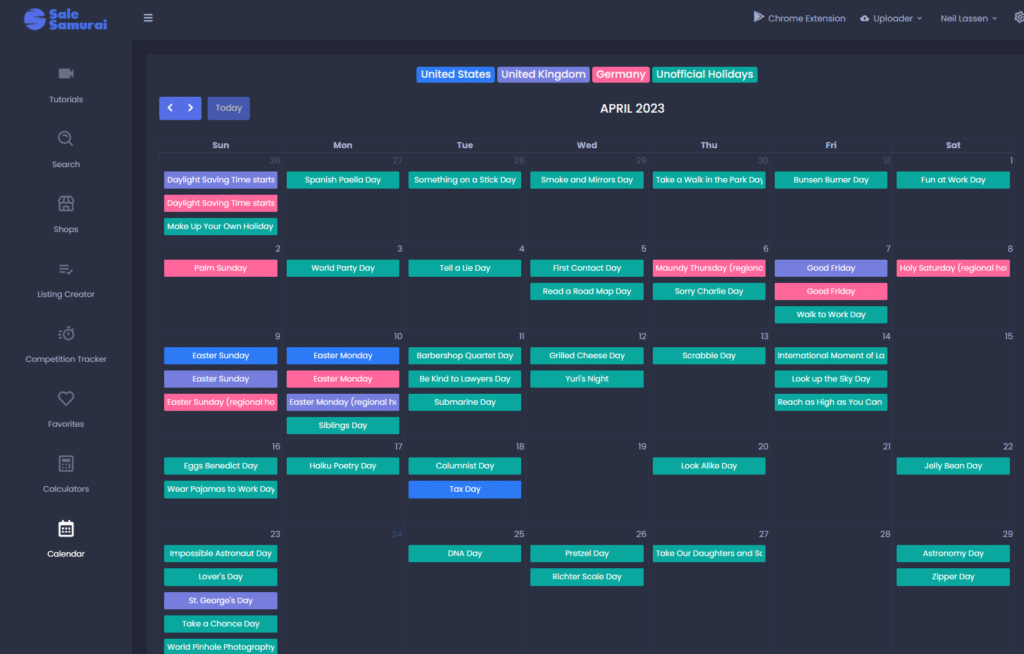
D) Calendar Scheduling
Plan conservative daily uploads (no more than 10), especially helpful when launching seasonal collections. Use Sale Samurai’s Calendar tool to space your listings for consistent, compliant growth.
E) Chrome Extension Audits
Scan on-page keyword usage and titles quickly—see potential red flags like trademark violations or incorrect tags in real-time while browsing Etsy.
4. Best Seller Workflow: Compliance Meets Scale
Follow this four-step workflow combining Etsy guidelines and Sale Samurai checks:
Step 1: Pre-Upload Vetting
- Run titles/tags through Trademark Scanner
- Audit metadata, confirm shipping/service details
- Keep track of daily upload volume in Calendar
Step 2: Monitoring After Upload
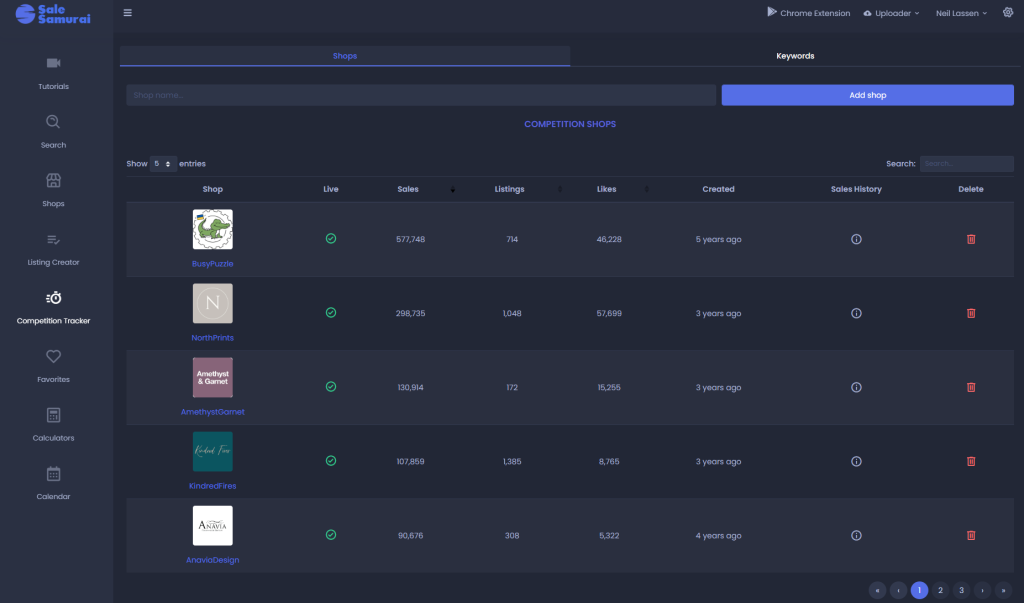
- Use Competition Tracker to compare shop standards
- Observe performance shifts (e.g., impressions or CTR drop after new uploads)
Step 3: Spotting Red Flags
- Merch notices, copycats, or false reviews
- Listings become invisible after uploads—policy issues are possible
- Use Sale Samurai to search for similar keywords used in comparable shops
Step 4: Quality Remediation
- Update listings flagged by Sale Samurai
- Limit uploads until compliance is consistent
- Reach out to Etsy support for clarity if account flags appear
5. Real-World Examples & Community Support
From Etsy’s help forums and Reddit communities, we see:
“Are you opening a brand new shop? Etsy frequently suspends new shops to check them over… If you are properly following policies, your shop will reopen in a week or two.”
New shops should:
- Confirm ID verification quickly
- Start small (fewer than 15 uploads/day)
- Use high-quality, original listings
Another seller warns:
“Buying from your own store…can flag your account. Even genuine favorites from friends can trigger a ban.”
With Sale Samurai, avoid this by:
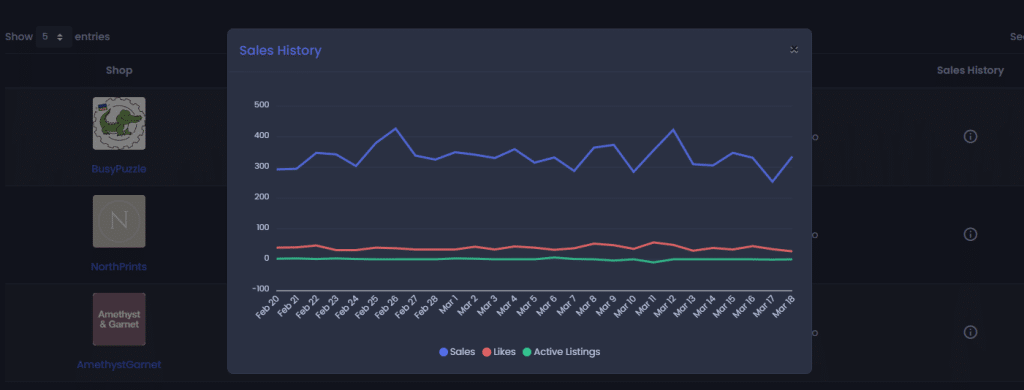
- Tagging your own shop ID as special case
- Removing vanity clicks or duplicate “team” accounts
6. Building a Suspension-Resilient Routine
Weekly Checklist:
- Run Trademark Scanner on 5 most recent listings
- Audit listing completeness: tags, attributes, pricing
- Check Competition Tracker for major shifts or copied content
Monthly Maintenance:
- Verify ID and account info is accurate
- Ensure billing information is valid/seamless
- Review upload volume via Calendar—pause if exceeding guidelines
Quarterly Deep Dive:
- Full shop audit: check categorizations, duplicate listings, keyword conformity
- Review Etsy’s policy changes
- Reactivate lapsed listings or remove outdated ones
7. Your Shop Suspension Safeguard Toolkit
| Task | Tool + How It Helps |
|---|---|
| Verify trademarks | Sale Samurai’s trademark alerts |
| Limit uploads | Calendar keeps daily listings in check |
| Audit metadata | Watch missing tags for compliance |
| Detect copycats | Competition Tracker flags suspicious duplicates |
| Monitor shop health | Sales/visibility drops may signal issues |
Final Thoughts: Proactive Prevention = Business Continuity
Suspension isn’t just inconvenient—it can destroy confidence, stall marketing strategies, and cost money. Etsy’s marketplace is rigorous, but with proactive compliance and data-driven oversight via Sale Samurai, you’re not just surviving—you’re scaling responsibly.
Action Steps Today:
- Add trademark scans to your keyword workflow
- Audit recent listings for completeness
- Set upload limits using the Calendar tool
- Monitor Competition Tracker and act fast on red flags
Stay compliant, build trust, and grow confidently.
- Why Some Listings Get Clicks but No Sales: The Trust Gap Problem

- The Etsy Bundle Spell: How to Increase AOV Without Feeling Pushy

- Seasonal Without the Panic: Evergreen Themes That Still Spike at Holidays
- Printable Goldmines That Aren’t Planners: The Quiet Categories People Ignore
- The Micro-Niche Method: Selling to Tiny Audiences Who Buy Immediately