
Consistently showing up on Etsy isn’t about randomness—it’s about strategic timing, evergreen relevancy, and season-specific content. A thoughtfully crafted content calendar—powered by data—is your ticket to sustained visibility, sales, and growth.
Sale Samurai offers a suite of tools to help you plan, track, and execute content and listing updates throughout the year. By using its Calendar, Search, Competition tools, and built-in Etsy analytics, you can transform your shop from reactive to proactive.
This guide walks you through:
- Why an Etsy content calendar matters
- How Sale Samurai’s Calendar feature anchors your planning
- Quarterly planning: what to launch and when
- Monthly routines for keyword and content refresh
- Listing updates, visuals, and promotions synced to shopper interest
- Tracking & adjusting using Sale Samurai’s analytics
- Preventing burnout and ensuring consistency
- Real-world Etsy brand examples
- Step-by-step execution checklist
- Final thoughts & long-term planning
1. Why You Need an Etsy Content Calendar
A content calendar empowers you to:
- Plan ahead, avoiding last-minute rushes
- Capitalize on seasonal demand (Mother’s Day, Halloween)
- Keep your shop fresh—avoid stale SEO and disengaged listings
- Maintain consistent promotional rhythms that buyers can anticipate
- Measure performance over time and adapt accordingly
Without a calendar you may shoot in the dark—posting randomly and missing critical windows of opportunity.
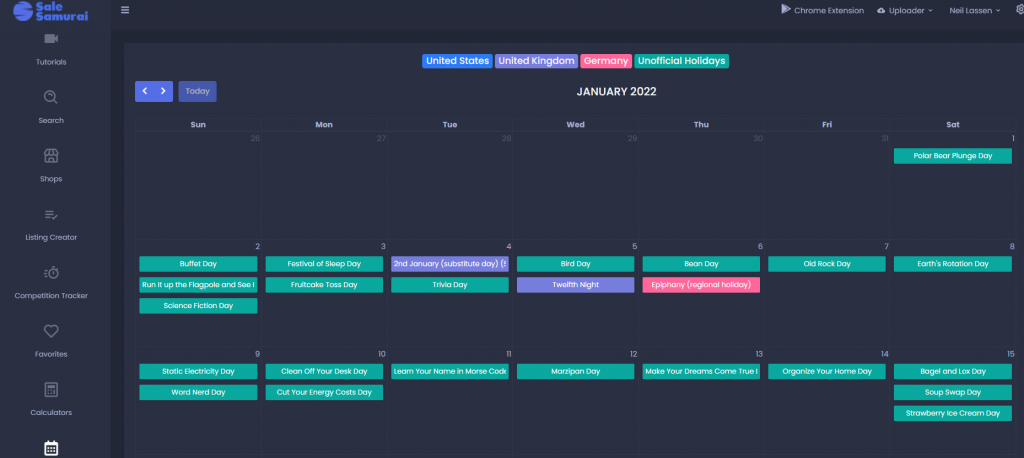
2. How Sale Samurai’s Calendar Guides Your Strategy
The Calendar feature in Sale Samurai highlights upcoming holidays, seasonal events, and unofficial trends. You can:
- View a year at a glance with tags like “Mother’s Day,” “Halloween,” and “Back-to-School”
- Block out content and listing refresh times (e.g., update listings 6 weeks before Christmas)
- Sync promotions with relevant events, preventing overlap and fatigue
This gives you a structured framework to plan new listings, photoshoots, and promotional push days.
3. Quarterly Planning: Major Themes & Focus
Below is a blueprint of key initiatives to map across the year.
Q1 (Jan–Mar): Year-Round Resets & Gift Prep
- January: Update evergreen listings (e.g., stationery, notebooks)
- February: Launch Valentine’s-promos (giftable items like mugs, candles)
- March: Prep for Spring Break and Easter—new visual refreshes, new keyword tags
Q2 (Apr–June): Graduation & Mother’s/Father’s Day
- April: Launch graduation-themed listings (cards, jewelry)
- May: Target Mother’s Day—use Sale Samurai to find trending terms and track competition
- June: Post-Mother’s Day promos, Father’s Day listings
Q3 (July–Sept): Summer Engagement
- July: Summer decor, outdoor living, free shipping focused
- Aug: Back-to-School planners, lunch bags, teachers’ gifts
- Sept: Fall reveal—pumpkin, rustic themes—start prepping Halloween
Q4 (Oct–Dec): Holiday Season Ramp-Up
- Oct: Halloween content—costumes, decor
- Nov: Black Friday/Cyber Monday promos planned via Calendar
- Dec: Last-minute gifts, bundled deals, percentage-off sales
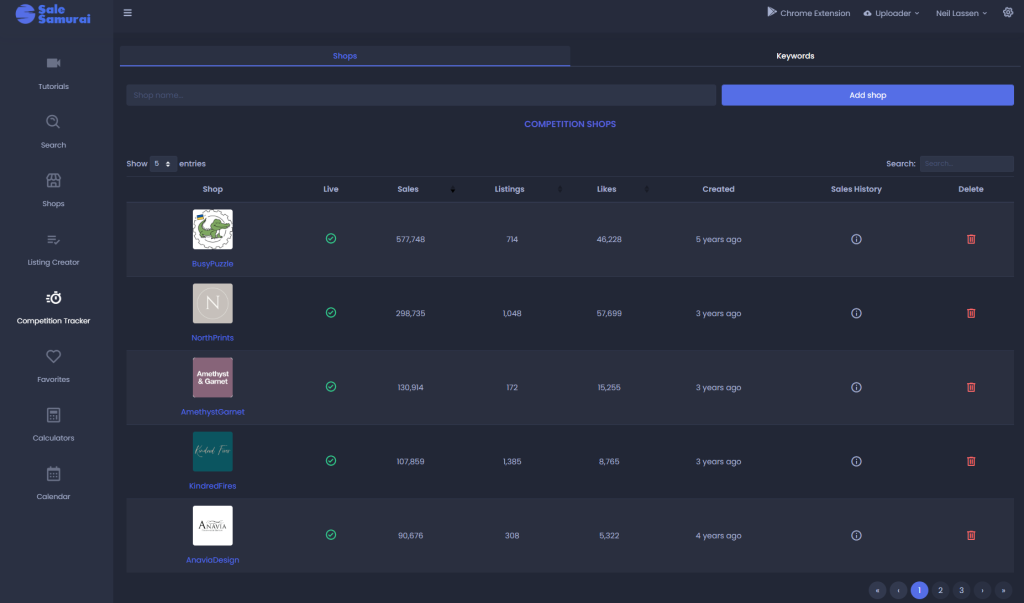
4. Monthly Routines: Keep Your Listings Fresh
Each month, follow this routine:
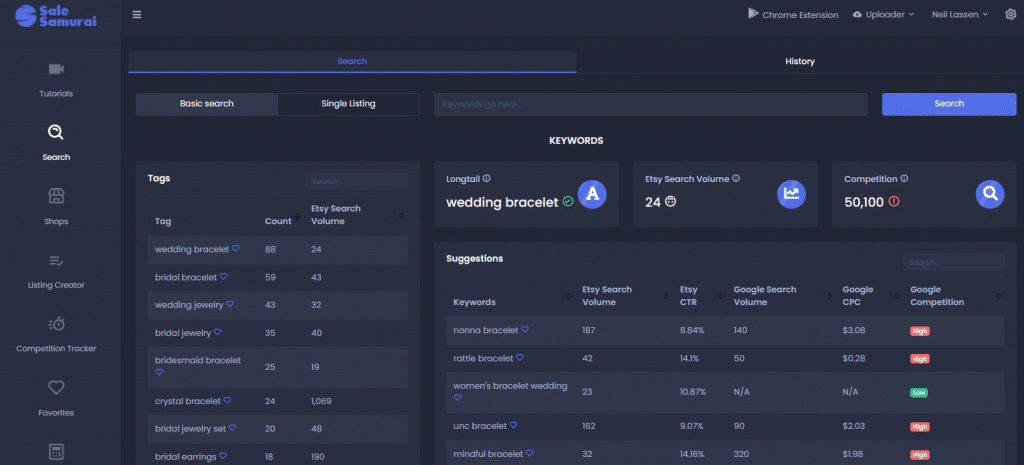
- Use Search and Keyword Tools to spot rising keyword trends.
- Run Competition Tracker on top 5–10 phrases to assess saturation and opportunity.
- Pick 2–3 listings to update: visuals, title, tags, and metadata.
- SCHEDULE updates in your calendar at least 4–6 weeks prior to seasonal rush.
- After updating, monitor impressions and CTR using Sale Samurai’s analytics module.
Rinse and repeat—quarterly review keeps everything optimized and responsive.
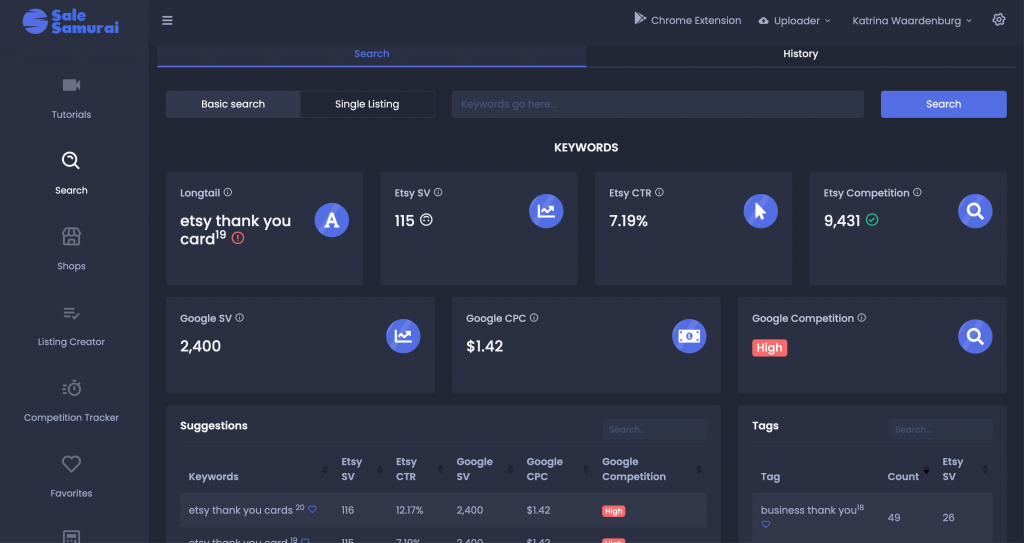
5. Timing Listings, Visuals & Promotions
A. Listing Updates
Coordinate listing refreshes—new photos, updated titles, seasonal bundles based on Calendar prompts.
B. Content Refresh
Swap out hero images or intro lines to reflect seasonal search patterns (e.g., changing summer themes in July).
C. Promotional Campaigns
Align coupon codes and discounts with events—launch shop-wide sales or targeted offers via Etsy Marketing. Sale Samurai’s Calendar helps you time these precisely.
D. Social Content
Create Instagram, Pinterest, and blog content aligned with calendar themes. Tie links back to relevant listings.
6. Track Performance & Pivot
A. Use Competition Tracker
Monitor how your refreshed listings rank against competitors across chosen keywords.
B. Assess Shop Analytics
Check Sale Samurai’s dashboard for changes in views, favorites, and revenue metric jumps.
C. Measure ROI on Promotions
Post-sale, evaluate: total revenue change, average order value, and impressions lifted.
Adjust calendars curve as needed—some months drive results more than others.
7. Avoid Calendar Burnout
- Batch tasks: plan photo sessions and description updates in one day
- Automate reminders: use your Calendar to signal when to revisit
- Delegate: repeatable tasks like photo editing or social scheduling can be outsourced
Treat the calendar as a project management tool—stick to it but don’t overcommit.
8. Real Etsy Success Stories
Example 1 – Holiday Gift Shop
Used Sale Samurai Calendar to schedule Valentine’s Day listings and mid-February coupon. Monthly traffic climbed 40%, followed by 30% higher average order value.
Example 2 – Stationery Seller
Quarterly listing-refresh cycles aligned with back-to-school and seasonal planner trends led to 25% CTR increase and improved BSR on updated items.
Example 3 – Digital Print Seller
Monthly keyword monitoring led to early content drops for new trend designs like “National Pizza Day,” driving flash-boosted sales.
9. Step‑by‑Step Execution Checklist
| Task | When |
|---|---|
| Plan Yearly Themes with Calendar | December prior year |
| Quarterly content batch days | Quarterly |
| Monthly keyword trend check | First week each month |
| Listing updates for Q2 | April |
| Promotional prep starting June | May |
| Back-to-School photo refresh | July |
| Holiday planning + Coupon creation | Aug–Sept |
| Review analytics & KPI | Monthly end |
Final Thoughts
A year‑round Etsy content calendar, guided by data from Sale Samurai, transforms seasonal randomness into coordinated, high-impact strategy. You’ll:
- Launch listings at high-interest moments
- Stay optimized with monthly updates
- Time promotions for maximum benefit
- Save time while amplifying returns
When your store runs on a calendar-driven engine, each season becomes an opportunity—welcome by design, not serendipity. Start laying out next year today.
- The Micro-Niche Method: Selling to Tiny Audiences Who Buy Immediately

- The Copycat Trap: How to Ride Trends Without Looking Like Everyone Else

- Phrase Families: How Etsy Shoppers Actually Search (Without Getting Technical)

- Aesthetic Commerce: Why “Vibes” Sell Faster Than Features on Etsy

- Digital-to-Physical on Etsy: The New Hybrid Seller Playbook